Which deals will close?
Learn from your pipeline history and the outcomes of past calls.
 precisedecisionsGet started
 Your business. Your decision model.
Turn past outcomes into a model for your next decision. Train it on your data. Keep it learning as your business changes.
From first dataset to your next model version.
Start with the data
in the tools you use.
 Customer records
 Support conversations
 FirefliesMeeting notes
Explore a sample decision
Your past examples
CRM records + call notes
A new opportunity
Budget approved. Two decision makers attended the demo. Contract review is scheduled.
Ready to process this example.
Estimated chance of closing
Within the next 7 daysYour past examples
Support conversations + ratings
A new support conversation
Setup issue resolved on the first reply. Customer tested the fix and thanked the team.
Ready to process this example.
Estimated chance of 5 stars
For this support interactionYour past examples
Incident reports + severity labels
A new incident
Requests are failing in one region. Retries succeed in another. The incident began 8 minutes ago.
Ready to process this example.
Highest-probability category
SEV-0 · SEV-1 · SEV-2 · SEV-3Illustrative examples and processing animation. Sample outputs are not predictions from a live model.
Bring a question and examples of what happened. PreciseDecisions brings the data preparation, training, and model versions together.
Pull in records from Attio, Pylon, or Fireflies. Define the outcome you care about, then review the examples before training.
A sales call is an input.
Whether the deal closed is its label.
CRMSupportCallsYou approve what the model learns from.
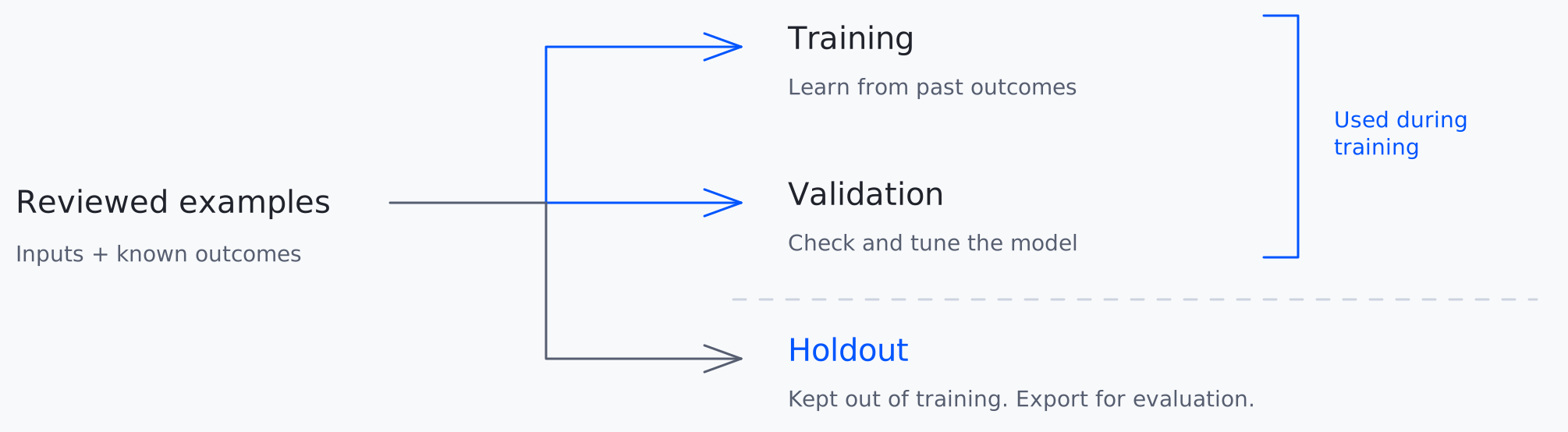
Separate the data used to teach your model from the examples reserved for testing. Related records stay together to reduce leakage.
Schedule data refreshes and retraining as new outcomes arrive. Each run creates a candidate model for you to review.
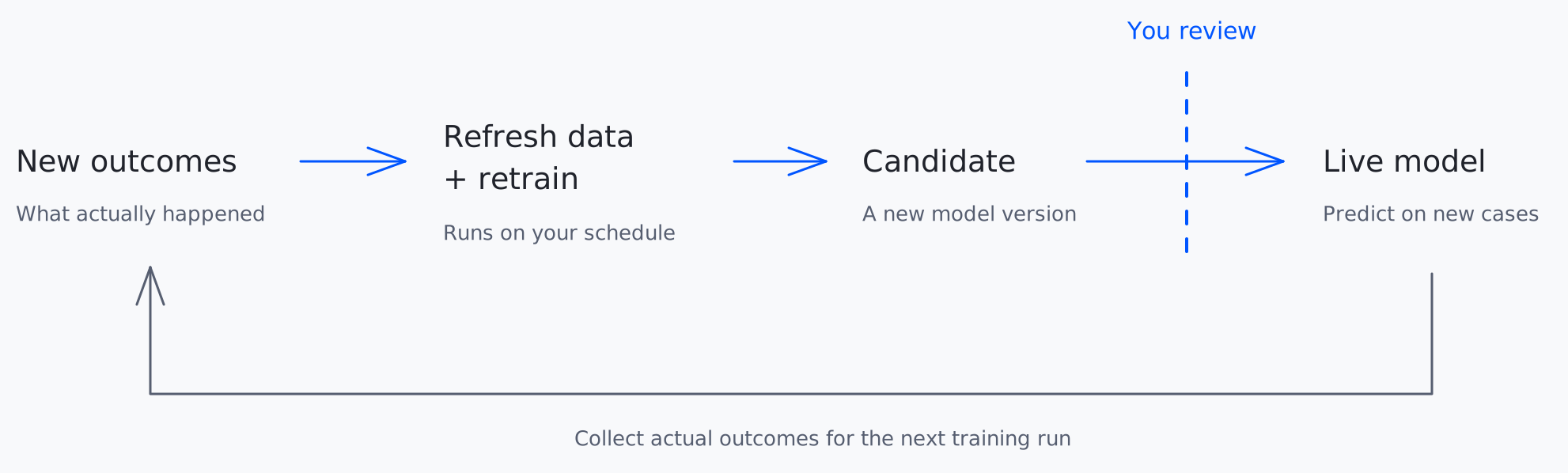
Future outcomes feed the next training run.
Every prediction has a trace. Follow it back to the model version, source data, and inputs behind the result.
Get startedNo ML background is required to understand the workflow. Start with a business question and historical examples. You’ll still need to review your data and decide whether a model is good enough for the job. Training and deployment currently need setup support.
It means adapting an existing model using your examples. PreciseDecisions currently trains Kev 4B for decision tasks: yes/no probabilities, categories, and scores.
Past examples that pair what was known at the time with what happened afterward. For sales, that might be call notes and deal history paired with whether the deal closed. Available connectors are Attio, Pylon, and Fireflies.
No. Scheduled retraining creates a new candidate. You review its results before deployment. Automatic holdout evaluation and automatic promotion are planned, not available today.
Once a version is deployed, ask supported questions in the app, use it in a workflow, or call it through the API. Questions need to match the outcome the model was trained to predict.